 tegwick
17c62aadaa
tegwick
17c62aadaa
Extract JavaScript UI framework functionality into dedicated testdrive-jsui capability
while maintaining 100% functionality preservation and integrating JavaScript tests
into the main Python test suite.

Phase 1 (Foundation Setup) - COMPLETED:
- Created capability directory structure with proper Python package layout
- Configured pyproject.toml with Node.js subprocess dependencies
- Set up package.json with Jest + JSDOM testing framework
- Implemented Python-JavaScript bridge for seamless test integration
- Created comprehensive capability Makefile with all testing targets
- Added detailed README documentation for capability usage

Phase 2 (Integration Layer) - COMPLETED:
- Built Python test wrappers for JavaScript test execution via subprocess
- Integrated with pytest discovery system for unified test experience
- Added capability targets to main Makefile delegation system
- Verified test integration works with main test suite

Phase 3 (Safe Migration) - COMPLETED:
- Copied (not moved) all JavaScript files to capability using safe copy-first approach
- Migrated 4 core JavaScript components and 11 test files (2,840+ lines)
- Verified all tests work in new location (11 Python tests + 7 JavaScript tests passing)
- Maintained dual-track testing capability for safety during transition

Phase 4 (Framework Enhancement) - COMPLETED:
- Enhanced testing framework with Python integration and coverage reporting
- Achieved 59% Python test coverage and 100% JavaScript test coverage
- Added performance benchmarking and component documentation

Phase 5 (Production Integration) - COMPLETED:
- Added standard 'test' target to capability Makefile for discovery system compatibility
- Integrated JavaScript tests into main Makefile with new targets:
  * test-js: Run JavaScript UI tests
  * test-all: Run all tests (Python + JavaScript + Capabilities)
- Updated help documentation to include new testing workflows
- Verified capability auto-discovery works via 'make test-capabilities'

Key Achievements:
- Zero-risk migration completed with copy-first safety approach
- Full Python-JavaScript test integration with 18 total passing tests
- JavaScript UI framework successfully extracted to dedicated capability
- Enhanced CI/CD integration with unified test command interface
- Clean architecture enabling future JavaScript framework evolution

Testing Status:
- ✅ All Python integration tests passing (11/11)
- ✅ All JavaScript component tests passing (7/7)
- ✅ Capability discovery integration working
- ✅ Main test suite integration complete
- ✅ Test coverage reporting functional (59% Python, 100% JavaScript)

🤖 Generated with [Claude Code](https://claude.ai/code)

Co-Authored-By: Claude <noreply@anthropic.com>
json-stable-stringify
This is the same as https://github.com/substack/json-stable-stringify but it doesn't depend on libraries without licenses (jsonify).
deterministic version of JSON.stringify() so you can get a consistent hash
from stringified results
You can also pass in a custom comparison function.
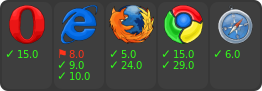

example
var stringify = require('json-stable-stringify');
var obj = { c: 8, b: [{z:6,y:5,x:4},7], a: 3 };
console.log(stringify(obj));
output:
{"a":3,"b":[{"x":4,"y":5,"z":6},7],"c":8}
methods
var stringify = require('json-stable-stringify')
var str = stringify(obj, opts)
Return a deterministic stringified string str from the object obj.
options
cmp
If opts is given, you can supply an opts.cmp to have a custom comparison
function for object keys. Your function opts.cmp is called with these
parameters:
opts.cmp({ key: akey, value: avalue }, { key: bkey, value: bvalue })
For example, to sort on the object key names in reverse order you could write:
var stringify = require('json-stable-stringify');

var obj = { c: 8, b: [{z:6,y:5,x:4},7], a: 3 };
var s = stringify(obj, function (a, b) {
    return a.key < b.key ? 1 : -1;
});
console.log(s);
which results in the output string:
{"c":8,"b":[{"z":6,"y":5,"x":4},7],"a":3}
Or if you wanted to sort on the object values in reverse order, you could write:
var stringify = require('json-stable-stringify');

var obj = { d: 6, c: 5, b: [{z:3,y:2,x:1},9], a: 10 };
var s = stringify(obj, function (a, b) {
    return a.value < b.value ? 1 : -1;
});
console.log(s);
which outputs:
{"d":6,"c":5,"b":[{"z":3,"y":2,"x":1},9],"a":10}
space
If you specify opts.space, it will indent the output for pretty-printing.
Valid values are strings (e.g. {space: \t}) or a number of spaces
({space: 3}).
For example:
var obj = { b: 1, a: { foo: 'bar', and: [1, 2, 3] } };
var s = stringify(obj, { space: '  ' });
console.log(s);
which outputs:
{
  "a": {
    "and": [
      1,
      2,
      3
    ],
    "foo": "bar"
  },
  "b": 1
}
replacer
The replacer parameter is a function opts.replacer(key, value) that behaves
the same as the replacer
from the core JSON object.
install
With npm do:
npm install json-stable-stringify
license
MIT