generated from coulomb/repo-seed
 tegwick
5bec61740b
tegwick
5bec61740b
Implements a new templating approach that allows complete visual control
in Inkscape while maintaining 100% valid SVG.

New Features:
- DOM-based generator using DOMParser and cloneNode()
- Prototype elements (month-proto, lane-proto, item-proto) instead of string templates
- Full WYSIWYG editing in Inkscape - see exactly how timeline will look
- Auto-detection of template type (prototype vs template-v2)
- Text element mapping via IDs (e.g., id="item-title")
- SVG transforms for positioning instead of placeholder replacement

Implementation:
- generator-dom.js: New DOM-based generator with cloning logic
- engine.js: Auto-detect template type and use appropriate generator
- example-proto/: Complete working example with prototype template
- PROTOTYPE_TEMPLATES.md: Comprehensive guide for creating prototype templates

Benefits:
- No string placeholders ({{PLACEHOLDER}}) needed
- Native SVG editing workflow
- Better performance (DOM manipulation vs regex)
- Easier maintenance and styling
- Backward compatible (old template-v2 still works)

Template Structure:
- Prototypes with specific IDs visible in SVG (hidden after cloning)
- Container groups for generated content
- CSS classes for styling
- Text elements with IDs matching field names

All 56 tests still passing.

Co-Authored-By: Claude Opus 4.5 <noreply@anthropic.com>
61 lines
2.5 KiB
XML
61 lines
2.5 KiB
XML
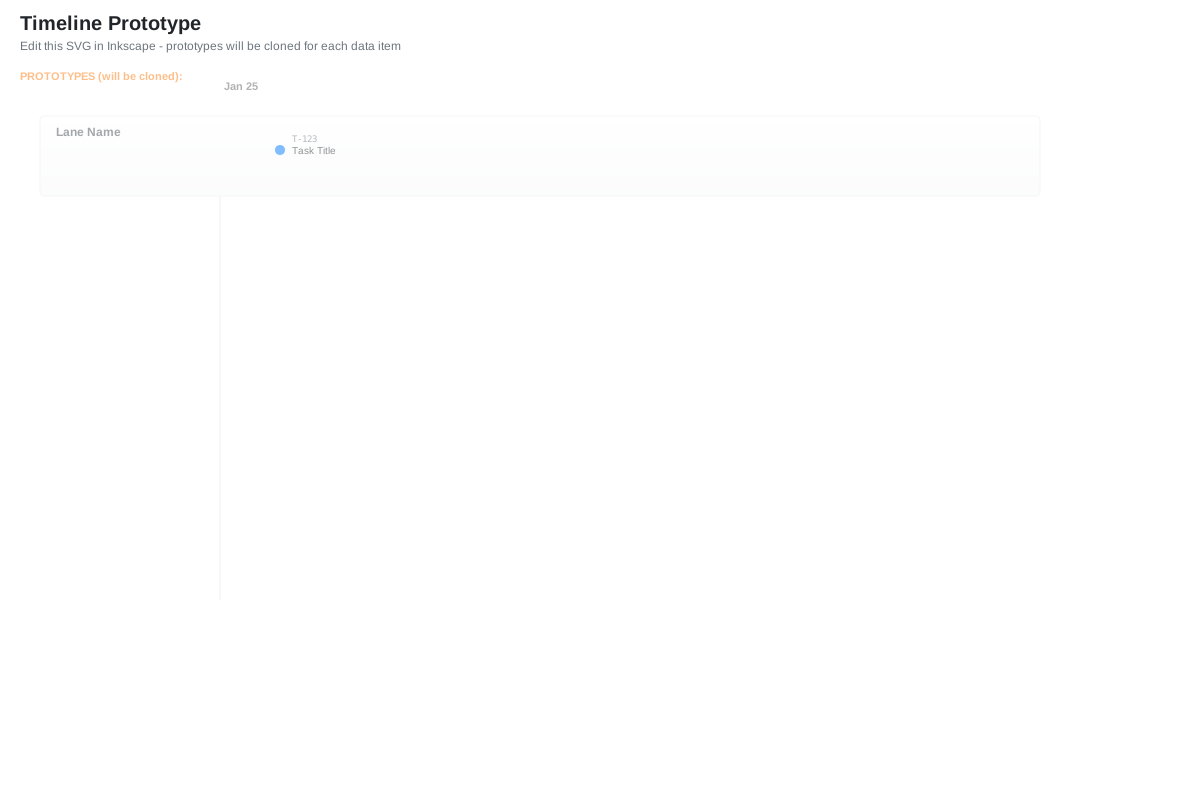


<?xml version="1.0" encoding="UTF-8"?>
|
|
<svg xmlns="http://www.w3.org/2000/svg" viewBox="0 0 1200 800">
|
|
<defs>
|
|
<!-- Styles that can be edited in Inkscape -->
|
|
<style>
|
|
.month-label { font-family: Arial, sans-serif; font-size: 11px; fill: #666; font-weight: 600; }
|
|
.month-grid { stroke: #ddd; stroke-width: 1; }
|
|
.lane-bg { fill: #f8f9fa; stroke: #e9ecef; stroke-width: 1; }
|
|
.lane-label { font-family: Arial, sans-serif; font-size: 12px; fill: #495057; font-weight: 600; }
|
|
.item-marker { fill: #007bff; }
|
|
.item-title { font-family: Arial, sans-serif; font-size: 10px; fill: #212529; }
|
|
.item-id { font-family: monospace; font-size: 9px; fill: #6c757d; }
|
|
</style>
|
|
|
|
<!-- Gradients, filters, etc. can be added here and edited in Inkscape -->
|
|
<linearGradient id="laneGradient" x1="0%" y1="0%" x2="0%" y2="100%">
|
|
<stop offset="0%" style="stop-color:#ffffff;stop-opacity:1" />
|
|
<stop offset="100%" style="stop-color:#f8f9fa;stop-opacity:1" />
|
|
</linearGradient>
|
|
</defs>
|
|
|
|
<!-- Title and metadata (visible in Inkscape) -->
|
|
<text x="20" y="30" style="font-family:Arial; font-size:20px; font-weight:bold; fill:#212529;">
|
|
Timeline Prototype
|
|
</text>
|
|
<text x="20" y="50" style="font-family:Arial; font-size:12px; fill:#6c757d;">
|
|
Edit this SVG in Inkscape - prototypes will be cloned for each data item
|
|
</text>
|
|
|
|
<!-- Prototypes layer (will be hidden after cloning) -->
|
|
<g id="prototypes" style="opacity:0.5">
|
|
<text x="20" y="80" style="font-family:Arial; font-size:11px; fill:#fd7e14; font-weight:bold;">
|
|
PROTOTYPES (will be cloned):
|
|
</text>
|
|
|
|
<!-- Month prototype -->
|
|
<g id="month-proto" transform="translate(220, 0)">
|
|
<line x1="0" y1="120" x2="0" y2="600" class="month-grid" />
|
|
<text x="4" y="90" class="month-label">Jan 25</text>
|
|
</g>
|
|
|
|
<!-- Lane prototype -->
|
|
<g id="lane-proto" transform="translate(0, 140)">
|
|
<rect x="40" y="-24" width="1000" height="80" class="lane-bg" rx="4" ry="4" style="fill:url(#laneGradient)" />
|
|
<text x="56" y="-4" class="lane-label">Lane Name</text>
|
|
</g>
|
|
|
|
<!-- Item prototype -->
|
|
<g id="item-proto" transform="translate(280, 150)">
|
|
<circle cx="0" cy="0" r="5" class="item-marker" />
|
|
<text x="12" y="4" class="item-title">Task Title</text>
|
|
<text x="12" y="-8" class="item-id">T-123</text>
|
|
</g>
|
|
</g>
|
|
|
|
<!-- Containers where clones will be placed -->
|
|
<g id="months-container"></g>
|
|
<g id="lanes-container"></g>
|
|
<g id="items-container"></g>
|
|
</svg>
|